Free Chrome Extension

Beautiful JSON Formatting
Made Easy

Select any JSON text on a webpage, right-click, and instantly view it with syntax highlighting, tree navigation, and one-click copy. Perfect for developers.

✓ No account required  •  ✓ Works offline  •  ✓ Privacy focused
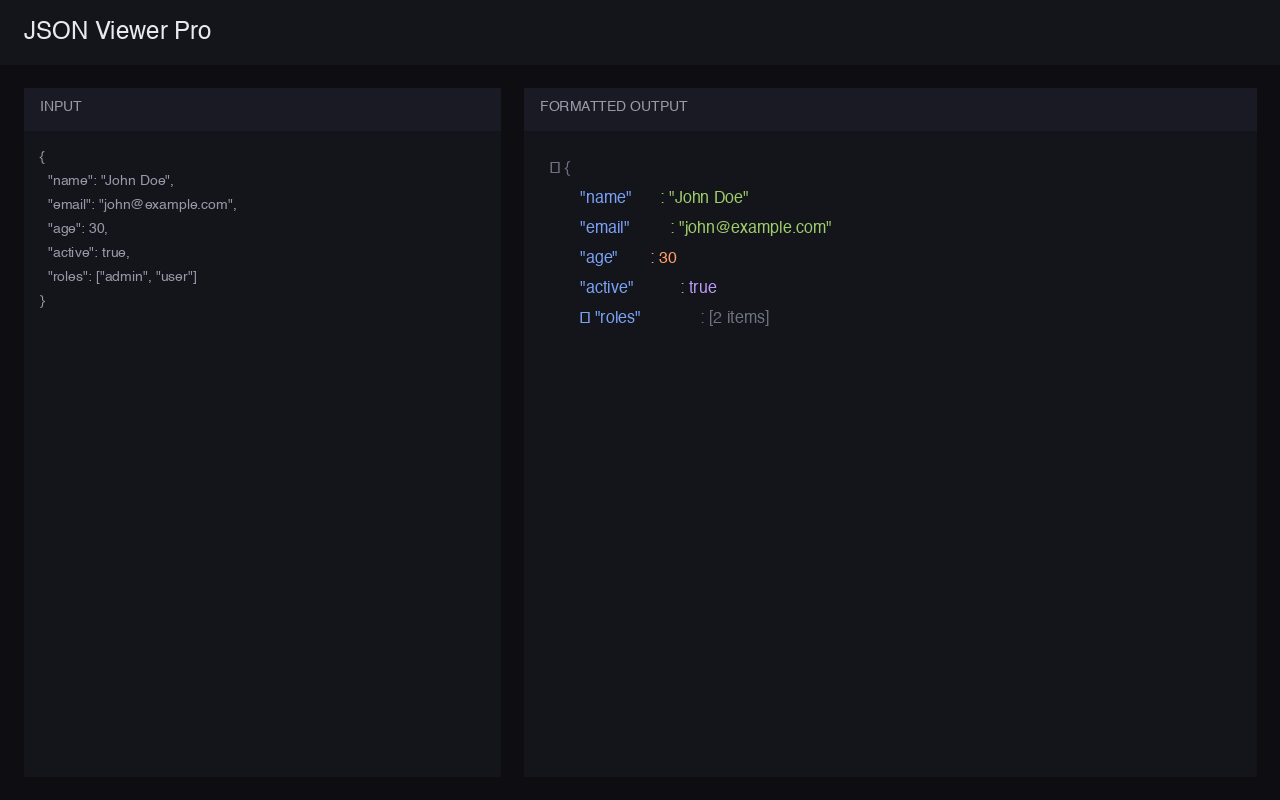
JSON Viewer Pro Screenshot - Beautiful JSON formatting with syntax highlighting

Everything you need to work with JSON

Powerful tools that make debugging and viewing JSON a breeze.

🌳

Interactive Tree View

Collapsible tree structure with expand/collapse controls for easy navigation through complex nested JSON.

🎨

Syntax Highlighting

Beautiful Tokyo Night-inspired colors distinguish keys, strings, numbers, booleans, and null values.

Right-Click to Format

Select any JSON text on any webpage, right-click, and choose "View as JSON" for instant formatting.

⌨️

Keyboard Shortcut

Press Ctrl+Shift+J (Cmd+Shift+J on Mac) to quickly view selected JSON without using the menu.

📋

Copy & Download

One-click copy to clipboard or download as a properly formatted .json file.

🔒

100% Private

All processing happens locally in your browser. No data is ever sent to external servers.

Start viewing JSON in seconds

No setup required. Install once and it just works.

1

Install the Extension

Click "Add to Chrome" and confirm the installation. Takes less than 5 seconds.

2

Select Any JSON

Find JSON text on any webpage or API response and select it with your mouse.

3

Right-Click → View

Right-click and choose "View as JSON" to see it beautifully formatted in a new tab.

Loved by developers

Join thousands of developers who use JSON Viewer Pro daily.

★★★★★
"Finally a JSON viewer that just works! The dark theme is beautiful and the tree view makes debugging API responses so much easier."
JD
John D. Full Stack Developer
★★★★★
"The right-click feature is genius. Select, click, done. No more copy-pasting into online formatters. This extension saves me time every day."
SM
Sarah M. Backend Engineer
★★★★★
"Love that it works offline and doesn't send my data anywhere. Perfect for working with sensitive API data. Clean UI too!"
AK
Alex K. Security Engineer